---
title: Creating an Anaconda Account and Opening Your First Notebook
description: Learn how to set up an Anaconda account to manage dependencies and start coding in Python or R with ease.
image: https://blog.rheinwerk-computing.com/hubfs/Creating%20an%20Anaconda%20Account%20and%20Opening%20Your%20First%20Notebook.jpg
---
[](https://blog.rheinwerk-computing.com/) [Blog](https://blog.rheinwerk-computing.com)
- Books
- Get an overview of our wide selection of books on every relevant computing topic.
- [General Computing](https://www.sap-press.com/rheinwerk-computing/general-computing/)
- [DevOps](https://www.sap-press.com/rheinwerk-computing/devops/)
- [Programming Languages](https://www.sap-press.com/rheinwerk-computing/programming-languages/)
- [Security](https://www.sap-press.com/rheinwerk-computing/security/)
- [Software Development](https://www.sap-press.com/rheinwerk-computing/software-development/)
- Book Subscription
- Get unlimited access to all Rheinwerk Computing books!
- [Programming Subscription](https://sap-press.com/subscriptions/)
[Featured](https://blog.rheinwerk-computing.com/tag/featured)
# Creating an Anaconda Account and Opening Your First Notebook
 by [Rheinwerk Computing](https://blog.rheinwerk-computing.com/author/rheinwerk-computing)
Before you start building models in Python or R, you need astable environment—here’s how Anaconda helps you manage dependencies and get coding quickly.
Learning how to write code and build machine learning models is hard enough. However, making sure you have all the right libraries and dependencies makes it even harder. When I started learning to write R and [Python](https://learning.rheinwerk-computing.com/python)code, issues with my libraries not aligning correctly were the biggest culprits behind my urge to throw my computer through the window.
All libraries have dependencies, or another library (often many libraries) that they’re dependent on to work correctly. This gets really complicated when libraries have updates with new features, bug fixes, and soon. There’s often a range of compatible versions of a specific package that fulfill the package dependency. Across a large number of libraries, this gets *very* complex and challenging to manage.
## What Is Anaconda?
Anaconda is a cloud-based platform data scientists use to develop and run code. The magic of a platform like Anaconda is that it will manage these dependencies for you—a behind-the-scenes feature that’s so incredibly useful. Without this magic, libraries are just folders and files in a directory, and it’s all on you to understand the dependencies.
## How to Create an Anaconda Account
Start by Googling “Anaconda.”
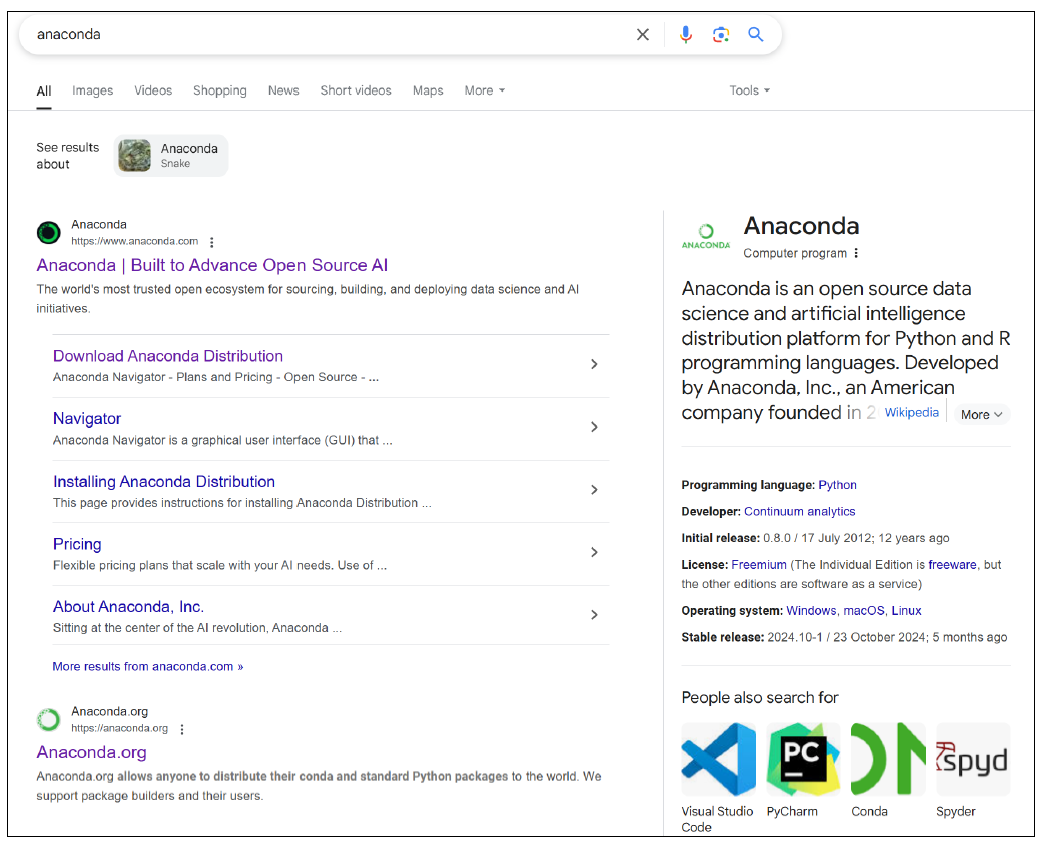
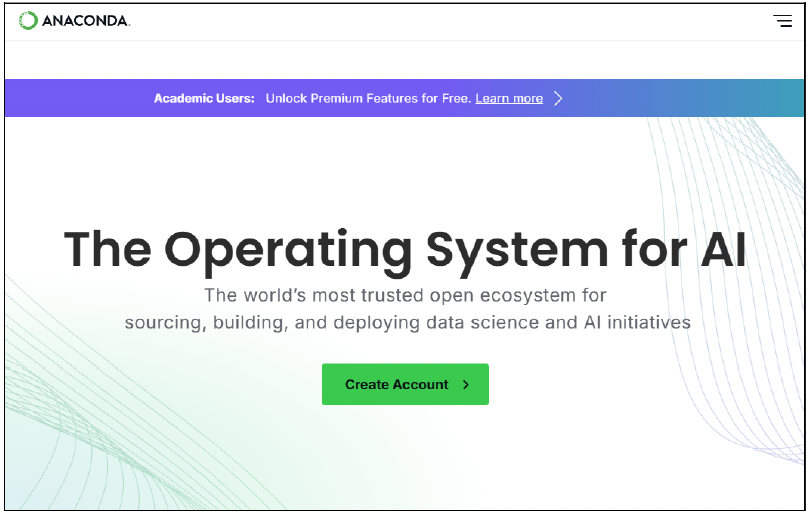
Click on the **Anaconda** link and you’ll arrive at their home page that prompts you to create an account, as shown here.
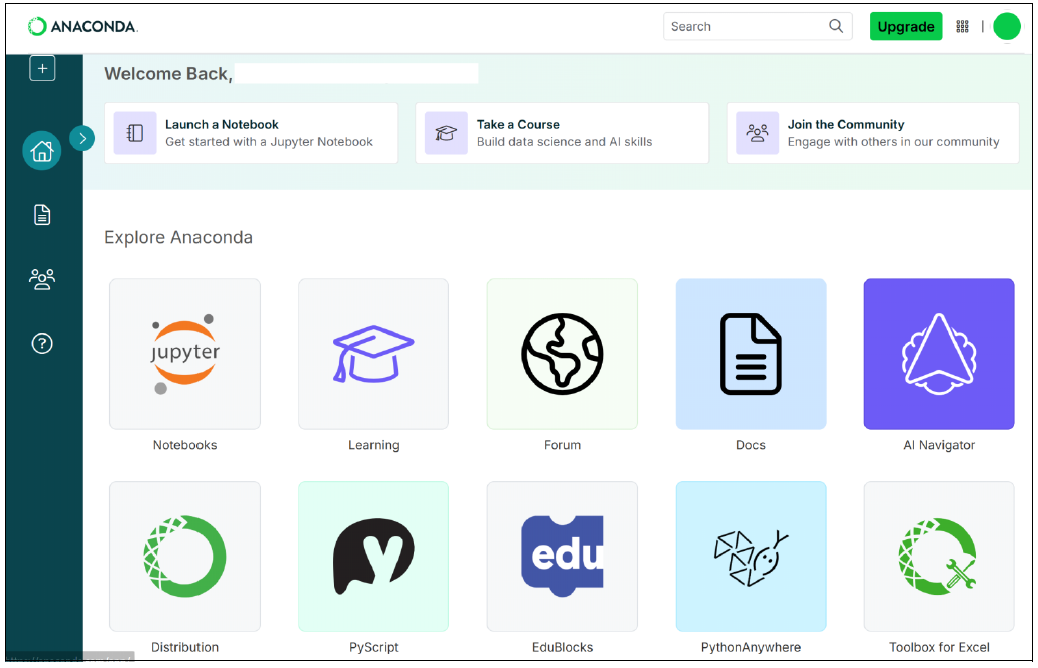
After creating your account, navigate to the **Notebooks** tile, as shown in this figure.
The **Notebooks** tile will open up a Jupyter Notebook for you to start writing your code, as shown below.
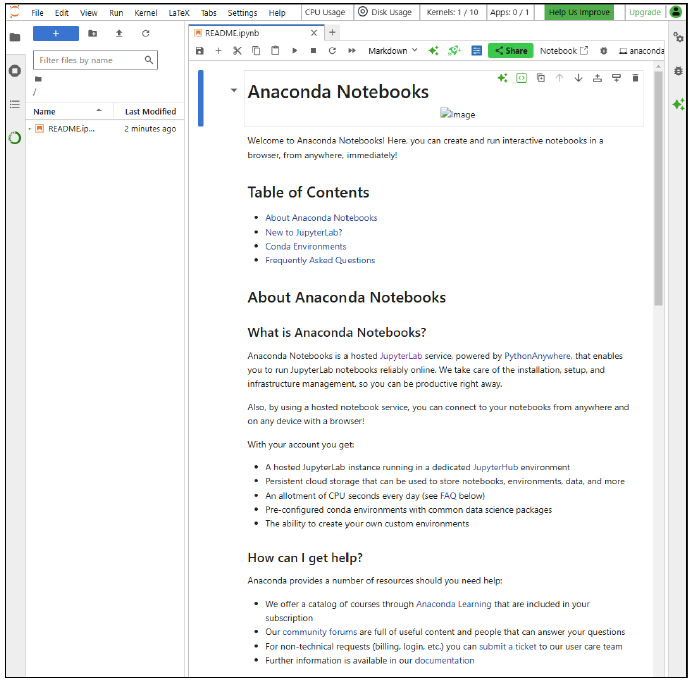
Jupyter Notebook is one of the standard IDEs used by people writing Python code. As you’ll see when you start writing code, it’s broken into *code chunks*, which are blocks of code that allow you to only run one part of your code at a time and then see the result of the code. Even if it’s not clear to you now, you’ll see how helpful this way of writing code can be when you’re learning.
At the time of writing, Anaconda includes a helpful README file that you can reference if you’re interested in learning more about Anaconda notebooks.
## Conclusion
With your Anaconda account set up and a notebook open, you’re ready to begin writing and running code in a controlled environment that manages libraries and dependencies for you. Instead of spending time troubleshooting version conflicts, you can focus on learning core concepts and building your skills in Python or R. As you continue, you’ll see how valuable astable, well-managed environment can be, especially as your projects grow more complex.
Editor’s note: This post has been adapted from a section of the book *[Applied Machine Learning: Using Machine Learning to Solve Business Problems](https://www.amazon.com/Applied-Machine-Learning-Algorithms-Implementing/dp/1493227580?maas=maas_adg_B9892DE77D408BE8BFBE2E2C759B1EB8_afap_abs&ref_=aa_maas&tag=maas)* by [Jason Hodson](https://www.linkedin.com/in/jason-hodson-21a19ab7/). Jason has worked in data-centric roles for nearly a decade. He currently works as an HR analytics manager, and he has prior experience in a forecasting role using the full range of applied machine learning. In a previous role, Jason wrote the end-to-end code for an enterprise hiring manager and candidate experience process, collaborating with recruiting leaders to understand and leverage data from a company-wide survey. He’s built large data models and dashboards and taught nontechnical users how to adopt and use them. Jason has been a technical mentor in all his roles, helping others develop their analytics and programming skill set. The common thread across Jason’s career is his ability to be a translator for stakeholders, peers, and junior team members. His learning journey also gives him a unique perspective: Before earning a master’s degree in business analytics, he was entirely self-taught. This has made his approach to teaching more practical, allowing concepts to translate better (and faster) into the business world.
This post was originally published 2/2026.
## Recommendation
[](https://www.amazon.com/Applied-Machine-Learning-Algorithms-Implementing/dp/1493227580?maas=maas_adg_B9892DE77D408BE8BFBE2E2C759B1EB8_afap_abs&ref_=aa_maas&tag=maas)
**Develop Machine Learning Models to Solve Business Problems!**
If you've ever wanted to put machine learning to work but didn't know where to start, this book is the guide you need. Follow three real-world business use cases, learn to select and evaluate the right models, and implement solutions that deliver measurable results — with downloadable sample code included.
[Learn More](https://www.amazon.com/Applied-Machine-Learning-Algorithms-Implementing/dp/1493227580?maas=maas_adg_B9892DE77D408BE8BFBE2E2C759B1EB8_afap_abs&ref_=aa_maas&tag=maas)

**by [Rheinwerk Computing](https://blog.rheinwerk-computing.com/author/rheinwerk-computing)**
Rheinwerk Computing is an imprint of Rheinwerk Publishing and publishes books by leading experts in the fields of programming, administration, security, analytics, and more.
[Featured](https://blog.rheinwerk-computing.com/tag/featured) [Python](https://blog.rheinwerk-computing.com/tag/python) [Artificial Intelligence](https://blog.rheinwerk-computing.com/tag/artificial-intelligence)
[](https://www.facebook.com/share.php?u=https%3A%2F%2Fblog.rheinwerk-computing.com%2Fcreating-an-anaconda-account-and-opening-your-first-notebook%3Futm_medium%3Dsocial%26utm_source%3Dfacebook) [](https://www.linkedin.com/shareArticle?mini=true&url=https%3A%2F%2Fblog.rheinwerk-computing.com%2Fcreating-an-anaconda-account-and-opening-your-first-notebook%3Futm_medium%3Dsocial%26utm_source%3Dlinkedin) [](https://twitter.com/intent/tweet?original_referer=https%3A%2F%2Fblog.rheinwerk-computing.com%2Fcreating-an-anaconda-account-and-opening-your-first-notebook%3Futm_medium%3Dsocial%26utm_source%3Dtwitter&url=https%3A%2F%2Fblog.rheinwerk-computing.com%2Fcreating-an-anaconda-account-and-opening-your-first-notebook%3Futm_medium%3Dsocial%26utm_source%3Dtwitter&source=tweetbutton&text=) [](mailto:?subject=Check+out+https%3A%2F%2Fblog.rheinwerk-computing.com%2Fcreating-an-anaconda-account-and-opening-your-first-notebook%3Futm_medium%3Dsocial%26utm_source%3Demail&body=Check+out+https%3A%2F%2Fblog.rheinwerk-computing.com%2Fcreating-an-anaconda-account-and-opening-your-first-notebook%3Futm_medium%3Dsocial%26utm_source%3Demail)
### Comments
### Latest Blog Posts
[](https://blog.rheinwerk-computing.com/how-to-choose-a-machine-learning-model-for-your-project)
[Featured](https://blog.rheinwerk-computing.com/tag/featured)
## [How to Choose a Machine Learning Model for Your Project](https://blog.rheinwerk-computing.com/how-to-choose-a-machine-learning-model-for-your-project)
[Read More](https://blog.rheinwerk-computing.com/how-to-choose-a-machine-learning-model-for-your-project)
[](https://blog.rheinwerk-computing.com/what-to-monitor-in-a-machine-learning-model)
[Featured](https://blog.rheinwerk-computing.com/tag/featured)
## [What to Monitor in a Machine Learning Model](https://blog.rheinwerk-computing.com/what-to-monitor-in-a-machine-learning-model)
[Read More](https://blog.rheinwerk-computing.com/what-to-monitor-in-a-machine-learning-model)
**Subscribe to our blog!**Get notified about future blog updates.
-
-
-
### The official Rheinwerk Computing Blog
Rheinwerk Computing is an imprint of Rheinwerk Publishing and publishes resources that will help you accelerate your computing journey. The Rheinwerk Computing Blog is designed to provide helpful, actionable information on a variety of topics, including programming, administration, security, and analytics!
### Blog Topics
- [All Topics](https://blog.rheinwerk-computing.com)
- [Programming Languages](https://blog.rheinwerk-computing.com/tag/programming-languages)
- [How To](https://blog.rheinwerk-computing.com/tag/how-to)
- [JavaScript](https://blog.rheinwerk-computing.com/tag/javascript)
- [DevOps](https://blog.rheinwerk-computing.com/tag/devops)
- [Web Development](https://blog.rheinwerk-computing.com/tag/web-development)
- [Python](https://blog.rheinwerk-computing.com/tag/python)
- [What Is?](https://blog.rheinwerk-computing.com/tag/what-is)
- [Cybersecurity](https://blog.rheinwerk-computing.com/tag/cybersecurity)
- [Software Development](https://blog.rheinwerk-computing.com/tag/software-development)
- [Java](https://blog.rheinwerk-computing.com/tag/java)
### Blog curated by
[](https://www.sap-press.com/rheinwerk-computing/) [Visit Rheinwerk Computing Store](https://www.sap-press.com/rheinwerk-computing/)
### About
- [Home](https://sap-press.com/)
- [About Us](https://sap-press.com/the-publisher/)
- [Contact](mailto:info@rheinwerk-publishing.com)
- [Legal Notes](https://sap-press.com/legal-notes/)
- [Privacy Policy](https://sap-press.com/privacy/)
- [Terms of Use](https://sap-press.com/terms/)
© 2026 Rheinwerk Publishing, Inc. | Change Privacy Options
```json
{
"@context" : "https://schema.org",
"@type" : "BlogPosting",
"author" : {
"@type" : "Person",
"name" : "Rheinwerk Computing",
"url" : "https://blog.rheinwerk-computing.com/author/rheinwerk-computing"
},
"dateModified" : "2026-03-13T15:23:42.996Z",
"datePublished" : "2026-02-18T14:00:02.000Z",
"headline" : "Creating an Anaconda Account and Opening Your First Notebook",
"image" : [ "https://blog.rheinwerk-computing.com/hubfs/Creating%20an%20Anaconda%20Account%20and%20Opening%20Your%20First%20Notebook.jpg" ],
"mainEntityOfPage" : {
"@id" : "https://blog.rheinwerk-computing.com/creating-an-anaconda-account-and-opening-your-first-notebook",
"@type" : "WebPage"
},
"publisher" : {
"@type" : "Organization",
"logo" : {
"@type" : "ImageObject",
"url" : "https://blog.rheinwerk-computing.com/hubfs/Logo-1.jpg"
},
"name" : "Rheinwerk Publishing, Inc."
}
}
```