---
title: Encryption in Python Programming
description: Learn how to generate secure random values and passwords using Python's secrets module, ensuring robust encryption and security for your applications.
image: https://blog.rheinwerk-computing.com/hubfs/Encryption%20in%20Python%20Programming.png
---
[](https://blog.rheinwerk-computing.com/) [Blog](https://blog.rheinwerk-computing.com)
- Books
- Get an overview of our wide selection of books on every relevant computing topic.
- [General Computing](https://www.sap-press.com/rheinwerk-computing/general-computing/)
- [DevOps](https://www.sap-press.com/rheinwerk-computing/devops/)
- [Programming Languages](https://www.sap-press.com/rheinwerk-computing/programming-languages/)
- [Security](https://www.sap-press.com/rheinwerk-computing/security/)
- [Software Development](https://www.sap-press.com/rheinwerk-computing/software-development/)
- Book Subscription
- Get unlimited access to all Rheinwerk Computing books!
- [Programming Subscription](https://sap-press.com/subscriptions/)
[Python](https://blog.rheinwerk-computing.com/tag/python)
# Encryption in Python Programming
 by [Rheinwerk Computing](https://blog.rheinwerk-computing.com/author/rheinwerk-computing)
The functions of the random module in Python are sufficient for the random values of a game.
However, if you need random values for the purposes of encryption or for security reasons, you should use the functions of the [Python](https://learning.rheinwerk-computing.com/python)secrets module, which provides secure random numbers and has been available since Python 3.6.
Let’s consider a simple example.
`import string, secrets`
`li = []`
`for i in range(10):`
` li.append(secrets.randbelow(6) + 1)`
`print("Roll the dice ten times:", li)`
`tx = ""`
`for i in range(10):`
` tx += secrets.choice(string.ascii_lowercase)`
`print("Text with ten random lowercase letters:", tx)`
The randbelow() function returns a random number between 0 and the value of the transferred parameter. The die is rolled ten times.
The choice() function returns a random value from a sequence. The sequence in this example is the ascii\_lowercase string constant from the string module, which contains the lowercase letters from the American Standard Code for Information Interchange (ASCII) code. A sequence of ten random lowercase letters is determined and output.
A possible output of the program could read as follows:
`Roll the dice ten times: [2, 4, 3, 4, 3, 2, 1, 1, 5, 4]`
`Text with ten random lowercase letters: dxhrankfme`
In the following program, the choice() function is used to create a random password consisting of six characters. The password must contain at least one character from each of the following four groups: lowercase letters, uppercase letters, numbers, and special characters.
`import string, secrets`
`special = "!#$%&()*+-/:;<=>?@[]_{|}"`
`print("Special characters:", special)`
`ch_all = string.ascii_letters + string.digits + special`
`while True:`
` tx = ""`
` num = [0,0,0,0]`
` for i in range(6):`
` character = secrets.choice(ch_all)`
` tx += character`
` if character in string.ascii_lowercase:`
` num[0] += 1`
` elif character in string.ascii_uppercase:`
` num[1] += 1`
` elif character in string.digits:`
` num[2] += 1`
` else:`
` num[3] += 1`
` print("Number:", num)`
` if 0 not in num:`
` break`
`print("Password: ", tx)`
First, a character string is created that consists of all special characters that are permitted in this case. Next, a character string is put together that consists of all the characters permitted for the password (i.e., all uppercase and lowercase letters, all numbers, and all possible special characters).
The password is created in an endless loop that is exited once the password has fulfilled the conditions mentioned previously. For the password, the choice() function is used to take six characters in succession from the set of permitted characters and put them together.
We also have a list of counters, one counter for each group. The group membership is determined for each character. The corresponding counter is incremented. When no more counter shows 0, the infinite loop will be exited.
In the following possible outputs of the program, you can see how several runs of the loop were necessary:
`Special characters: !#$%&()*+-/:;<=>?@[]_{|}`
`Number: [1, 3, 0, 2]`
`Number: [3, 2, 0, 1]`
`Number: [2, 2, 1, 1]`
`Password: B(kO7w`
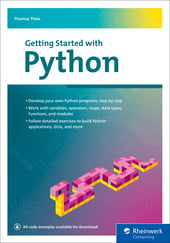
Editor’s note: This post has been adapted from a section of the book *[Getting Started with Python](https://www.sap-press.com/getting-started-with-python_5876/?utm_source=sappressblog&utm_medium=referral&utm_campaign=Blogs&utm_term=2586_chapter5&utm_content=2586)* by Thomas Theis.
## Recommendation
[](https://www.sap-press.com/getting-started-with-python_5876/?utm_source=sappressblog&utm_medium=referral&utm_campaign=Blogs&utm_term=2586_chapter5&utm_content=2586)
**Getting Started with Python**
If you want to program with Python, you’ve come to the right place! Take your first steps with this Python crash course that teaches you to use core language elements, from variables to branches to loops. Follow expert guidance to work with data types, functions, and modules—and learn how to manage errors and exceptions along the way. Apply Python programming to develop databases, graphical user interfaces, widgets, and more. Practice your skills with example exercises, and start developing your own applications with Python today!
[Learn More](https://www.sap-press.com/getting-started-with-python_5876/?utm_source=sappressblog&utm_medium=referral&utm_campaign=Blogs&utm_term=2586_chapter5&utm_content=2586)

**by [Rheinwerk Computing](https://blog.rheinwerk-computing.com/author/rheinwerk-computing)**
Rheinwerk Computing is an imprint of Rheinwerk Publishing and publishes books by leading experts in the fields of programming, administration, security, analytics, and more.
[Python](https://blog.rheinwerk-computing.com/tag/python)
[](https://www.facebook.com/share.php?u=https%3A%2F%2Fblog.rheinwerk-computing.com%2Fencryption-in-python-programming%3Futm_medium%3Dsocial%26utm_source%3Dfacebook) [](https://www.linkedin.com/shareArticle?mini=true&url=https%3A%2F%2Fblog.rheinwerk-computing.com%2Fencryption-in-python-programming%3Futm_medium%3Dsocial%26utm_source%3Dlinkedin) [](https://twitter.com/intent/tweet?original_referer=https%3A%2F%2Fblog.rheinwerk-computing.com%2Fencryption-in-python-programming%3Futm_medium%3Dsocial%26utm_source%3Dtwitter&url=https%3A%2F%2Fblog.rheinwerk-computing.com%2Fencryption-in-python-programming%3Futm_medium%3Dsocial%26utm_source%3Dtwitter&source=tweetbutton&text=) [](mailto:?subject=Check+out+https%3A%2F%2Fblog.rheinwerk-computing.com%2Fencryption-in-python-programming%3Futm_medium%3Dsocial%26utm_source%3Demail&body=Check+out+https%3A%2F%2Fblog.rheinwerk-computing.com%2Fencryption-in-python-programming%3Futm_medium%3Dsocial%26utm_source%3Demail)
### Comments
### Latest Blog Posts
[](https://blog.rheinwerk-computing.com/regular-expressions-in-python-programming)
[Python](https://blog.rheinwerk-computing.com/tag/python)
## [Regular Expressions in Python Programming](https://blog.rheinwerk-computing.com/regular-expressions-in-python-programming)
[Read More](https://blog.rheinwerk-computing.com/regular-expressions-in-python-programming)
[](https://blog.rheinwerk-computing.com/built-in-functions-in-python-programming)
[Python](https://blog.rheinwerk-computing.com/tag/python)
## [Built-In Functions in Python Programming](https://blog.rheinwerk-computing.com/built-in-functions-in-python-programming)
[Read More](https://blog.rheinwerk-computing.com/built-in-functions-in-python-programming)
**Subscribe to our blog!**Get notified about future blog updates.
-
-
-
### The official Rheinwerk Computing Blog
Rheinwerk Computing is an imprint of Rheinwerk Publishing and publishes resources that will help you accelerate your computing journey. The Rheinwerk Computing Blog is designed to provide helpful, actionable information on a variety of topics, including programming, administration, security, and analytics!
### Blog Topics
- [All Topics](https://blog.rheinwerk-computing.com)
- [Programming Languages](https://blog.rheinwerk-computing.com/tag/programming-languages)
- [How To](https://blog.rheinwerk-computing.com/tag/how-to)
- [JavaScript](https://blog.rheinwerk-computing.com/tag/javascript)
- [DevOps](https://blog.rheinwerk-computing.com/tag/devops)
- [Web Development](https://blog.rheinwerk-computing.com/tag/web-development)
- [Python](https://blog.rheinwerk-computing.com/tag/python)
- [What Is?](https://blog.rheinwerk-computing.com/tag/what-is)
- [Cybersecurity](https://blog.rheinwerk-computing.com/tag/cybersecurity)
- [Software Development](https://blog.rheinwerk-computing.com/tag/software-development)
- [Java](https://blog.rheinwerk-computing.com/tag/java)
### Blog curated by
[](https://www.sap-press.com/rheinwerk-computing/) [Visit Rheinwerk Computing Store](https://www.sap-press.com/rheinwerk-computing/)
### About
- [Home](https://sap-press.com/)
- [About Us](https://sap-press.com/the-publisher/)
- [Contact](mailto:info@rheinwerk-publishing.com)
- [Legal Notes](https://sap-press.com/legal-notes/)
- [Privacy Policy](https://sap-press.com/privacy/)
- [Terms of Use](https://sap-press.com/terms/)
© 2026 Rheinwerk Publishing, Inc. | Change Privacy Options
```json
{
"@context" : "https://schema.org",
"@type" : "BlogPosting",
"author" : {
"@type" : "Person",
"name" : "Rheinwerk Computing",
"url" : "https://blog.rheinwerk-computing.com/author/rheinwerk-computing"
},
"dateModified" : "2024-10-17T13:14:27.424Z",
"datePublished" : "2024-09-20T13:00:00.000Z",
"headline" : "Encryption in Python Programming",
"image" : [ "https://blog.rheinwerk-computing.com/hubfs/Encryption%20in%20Python%20Programming.png" ],
"mainEntityOfPage" : {
"@id" : "https://blog.rheinwerk-computing.com/encryption-in-python-programming",
"@type" : "WebPage"
},
"publisher" : {
"@type" : "Organization",
"logo" : {
"@type" : "ImageObject",
"url" : "https://blog.rheinwerk-computing.com/hubfs/Logo-1.jpg"
},
"name" : "Rheinwerk Publishing, Inc."
}
}
```